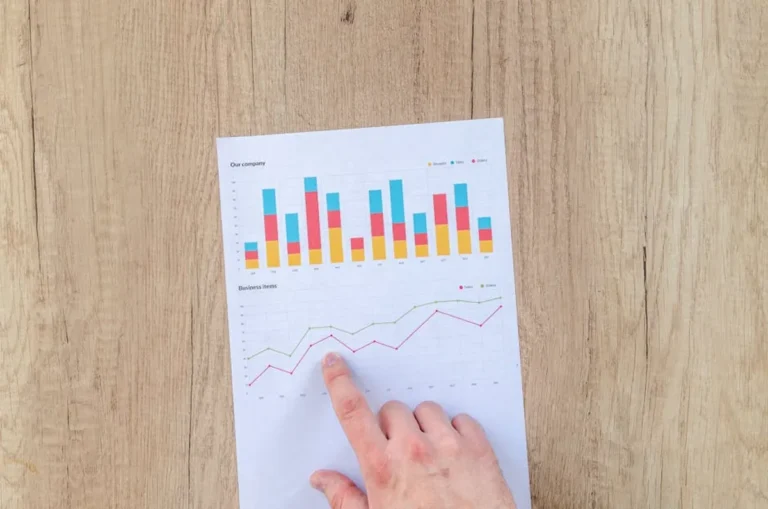
Search-led growth breaks when SEO, PPC, and landing page work happen in separate systems with separate goals. Rankings improve but paid traffic lands on weak pages. PPC teams buy terms SEO could own organically. Content teams publish around volume instead of revenue. The right workflow fixes that by connecting keyword discovery, intent mapping, page production, testing, and reporting into one operating model. The right workflow fixes that by connecting keyword discovery and intent mapping, page production, testing, and reporting into one operating model.
If you are choosing a workflow, the real question is not which channel matters more. It is which stack helps you move from keyword to page to conversion with the least friction and the clearest attribution. Some setups are built for enterprise governance. Others are better for lean in-house teams, agencies managing many clients, or publishers monetizing search demand at scale. The list below ranks the best SEO and PPC workflows for teams that care about traffic quality, lead volume, CAC, and page-level performance.
What to Look For
Prioritize workflows that connect five jobs cleanly: keyword research, SERP analysis, landing page creation, experiment velocity, and revenue reporting. A workflow that finds keywords but cannot map them to ad groups, page templates, or conversion paths creates manual cleanup work. A workflow that ships pages fast but cannot surface query intent or track page-level outcomes turns production into guesswork.
Look closely at handoff points. Can paid search data feed SEO content planning? Can organic winners become exact-match PPC targets? Can landing pages be tested without developer queues? Can reporting separate branded demand from non-branded growth? Those details matter more than feature count, because most search teams lose time in coordination, not in clicking buttons inside one tool.
1. Google Ads + Google Search Console + GA4 + Looker Studio
This is the default workflow for teams that want direct visibility into search demand, paid efficiency, and on-site behavior without paying for a large enterprise stack. Google Ads gives immediate query and conversion data. Search Console exposes organic impressions, clicks, and page-query relationships. GA4 shows post-click engagement and conversion paths. Looker Studio ties the whole picture together into a reporting layer executives can actually read.
Best for: In-house teams, growth marketers, and smaller agencies that need a low-cost workflow with first-party data at the center.
Pros: Native data sources reduce integration friction. You can compare paid and organic demand at query, landing page, device, and geography level. Search Console helps spot organic pages with high impressions but weak CTR, while Google Ads identifies commercial terms that convert quickly. GA4 closes the loop by showing whether those visits produce leads, sales, or assisted conversions.
Cons: Search Console query data is sampled and limited. GA4 reporting can be frustrating for teams used to simpler session-based analytics. Looker Studio dashboards require setup discipline or they become cluttered fast. This workflow also lacks native rank tracking depth and content production management.
Verdict: If your team can work comfortably inside Google’s ecosystem, this setup gives the clearest baseline for search-led growth. It is especially effective when you need to identify paid keywords worth turning into organic landing pages, then measure whether those pages reduce paid dependency over time. It is especially effective when you need to identify paid keywords worth turning into organic landing pages, then measure whether those pages reduce paid dependency over time.
2. Ahrefs + Google Ads + Unbounce
This workflow is built for teams that want to move from keyword opportunity to landing page launch quickly. Ahrefs is useful here because it is not just a keyword database play. It helps you inspect the SERP, identify who owns the traffic, estimate link difficulty, and find content gaps across competitors. Pair that with Google Ads for rapid demand validation and Unbounce for page deployment without waiting on engineering.
Best for: Lead generation teams, SaaS marketers, and agencies running search programs where speed to test matters more than deep enterprise governance.
Pros: Ahrefs makes it easier to separate informational terms from commercial terms by looking at live SERP composition, not just keyword labels. Google Ads validates intent and conversion potential quickly. Unbounce lets you build dedicated pages for ad groups, service areas, or offer variants without pushing every request through the CMS. That shortens the cycle from keyword hypothesis to conversion data.
Cons: Unbounce can create page sprawl if naming conventions and analytics are weak. Ahrefs does not replace ad platform data for paid decision-making. Teams can also end up splitting reporting across too many interfaces unless they build a shared dashboard layer.
Verdict: This is one of the most practical workflows for commercial search teams that need to test new offers, vertical pages, or location pages fast. It works best when you use paid campaigns to identify converting themes, then build durable SEO assets around those themes once intent is proven.
3. Semrush + Google Ads + HubSpot
For B2B teams that care about pipeline quality as much as lead volume, this workflow is effective because it combines keyword and competitor research with CRM-level attribution. Semrush gives broad visibility into keyword clusters, domain overlap, ad copy patterns, and content gaps. Google Ads captures short-term demand. HubSpot connects form fills and downstream sales outcomes back to campaigns and landing pages.
Best for: B2B marketers, agencies serving lead-gen clients, and revenue teams that need search reporting tied to lifecycle stages.
Pros: Semrush is useful for building topic maps and identifying competitor terms your site does not cover. Google Ads provides fast feedback on which offers and messaging angles convert. HubSpot adds the missing commercial layer by showing whether those conversions become MQLs, SQLs, or revenue. That matters when cheap leads and profitable leads are not the same thing.
Cons: HubSpot can become expensive as contact volume and feature needs grow. Semrush data breadth is useful, but teams still need judgment when prioritizing keywords with inflated difficulty or mixed intent. Integration quality depends on how cleanly forms, UTMs, and lifecycle stages are configured.
Verdict: Choose this workflow if your search program is judged by pipeline, not by traffic charts. It is particularly good for proving which keyword themes deserve more budget because you can trace them from click to closed revenue instead of stopping at lead count.
4. SpyFu + Microsoft Advertising + Instapage
This workflow makes sense for teams operating in competitive paid markets where ad history, competitor bidding patterns, and landing page isolation matter. SpyFu is useful because it surfaces long-running paid keywords and ad copy trends that indicate where competitors keep spending. Microsoft Advertising adds reach beyond Google, often with lower CPCs in certain B2B, finance, and older-skewing audiences. Instapage is built for controlled landing page testing and ad-to-page relevance.
Best for: PPC-focused teams, agencies managing high-CPC accounts, and brands looking for lower-cost paid search expansion.
Pros: SpyFu helps identify keywords competitors have stayed on for months, which is often a better commercial signal than raw volume. Microsoft Advertising can deliver cheaper incremental conversions in verticals where Bing usage is meaningful. Instapage supports dedicated post-click experiences, which improves Quality Score and conversion rate when ad groups are tightly segmented.
Cons: This is not the best workflow for deep organic content planning. Microsoft volume is lower than Google in many categories. Instapage can be more than some teams need if they are not running enough experiments to justify a specialized landing page platform.
Verdict: If your main growth lever is paid search efficiency, this setup earns its place. It is especially useful when you need to protect margin in expensive auctions by tightening message match and finding lower-cost inventory outside Google.
5. Screaming Frog + Google Ads + WordPress + Hotjar
This workflow is less glamorous than all-in-one platforms, but it is extremely effective for teams that need to fix technical SEO issues, build or improve landing pages inside their CMS, and understand why traffic is not converting. Screaming Frog audits crawlability, internal linking, duplicate content, canonicals, and page metadata at scale. Google Ads brings immediate commercial traffic. WordPress gives publishing flexibility. Hotjar adds behavioral evidence from real users.
Best for: Site owners, publishers, and in-house teams with content-heavy sites and enough CMS control to make changes quickly.
Pros: Screaming Frog finds structural issues that suppress both rankings and landing page performance, such as orphan pages, redirect chains, or bloated templates. Google Ads can direct traffic to pages that need validation. WordPress lets teams build supporting content, comparison pages, and campaign pages without vendor lock-in. Hotjar shows scroll depth, rage clicks, and form friction that analytics alone will not explain.
Cons: This workflow requires more hands-on expertise. There is no single interface for planning and reporting. Hotjar is directional rather than statistically rigorous for all decisions, so teams still need proper A/B testing when stakes are high.
Verdict: This is the right choice when technical debt and weak page UX are holding back search growth. It is particularly effective for teams that already have traffic but need to convert more of it by fixing page structure, content hierarchy, and user friction.
6. SE Ranking + Google Ads + Webflow
This setup suits lean teams that want cleaner execution than a patchwork of spreadsheets but do not need enterprise-level complexity. SE Ranking covers rank tracking, competitor monitoring, keyword research, and site auditing in a more accessible package than some larger suites. Google Ads validates commercial intent. Webflow makes it easier to ship polished landing pages with more design control than many traditional CMS setups.
Best for: Small to mid-sized businesses, boutique agencies, and startups that need visibility across SEO and PPC without heavy overhead.
Pros: SE Ranking is practical for monitoring keyword movement by location, device, and search engine without a steep learning curve. Google Ads fills the demand-validation gap. Webflow helps teams launch campaign pages, service pages, and SEO landing pages quickly while maintaining design consistency. That is useful when brand presentation matters but developer capacity is limited.
Cons: Webflow can be less convenient than WordPress for large-scale editorial operations. SE Ranking is efficient, but advanced teams may outgrow it if they need deeper link intelligence or broader competitive datasets. Reporting still benefits from an external dashboard.
Verdict: This workflow works best for teams that need operational speed and decent search visibility without buying a heavyweight stack. It is a sensible middle ground when the goal is steady search growth, not elaborate enterprise process.
7. Similarweb + Google Ads + VWO
When the problem is market sizing and conversion efficiency rather than pure keyword discovery, this workflow becomes useful. Similarweb helps estimate traffic share, channel mix, and competitor momentum at a market level. Google Ads captures demand in the channels you can control immediately. VWO adds structured testing so landing page changes are based on experiment results instead of opinion.
Best for: Larger brands, category challengers, and teams entering new markets where competitor intelligence and CRO discipline matter.
Pros: Similarweb is helpful for understanding whether a search opportunity is worth pursuing at all, especially in markets where competitors lean heavily on paid or where organic share is concentrated among a few domains. Google Ads gives fast access to demand. VWO supports split testing on headlines, forms, layouts, and offers, which is critical when small conversion lifts materially change CAC.
Cons: Similarweb estimates are directional, not exact. VWO only pays off if your traffic volume supports meaningful tests. This workflow also needs a separate SEO production process for content and technical implementation.
Verdict: Use this setup when you are making bigger allocation decisions, such as whether to expand into a category, geography, or product line. It is less about publishing more pages and more about validating market opportunity, then extracting more value from each click.
8. Keyword Insights + Google Ads + Surfer + GA4
This workflow is designed for teams building topical coverage at scale while keeping one eye on conversion data. Keyword Insights helps cluster terms by intent and SERP similarity, which reduces the common mistake of creating five pages for one topic. Google Ads identifies which clusters have commercial value. Surfer helps shape on-page coverage and content structure. GA4 measures whether those pages actually contribute to leads or sales.
Best for: Content-led SEO teams, affiliate publishers moving into commercial content, and agencies producing large page sets.
Pros: Keyword clustering keeps site architecture tighter and reduces cannibalization. Google Ads can reveal which cluster deserves a dedicated money page versus a supporting informational page. Surfer is useful for aligning page depth and entity coverage with what currently ranks. GA4 shows whether pages attract engaged users or just inflate sessions.
Cons: Content optimization tools can encourage formulaic writing if editors rely on scores instead of judgment. This workflow is weaker on technical SEO and backlink strategy. It also needs disciplined editorial oversight to stop clusters from becoming bloated content calendars.
Verdict: This is a smart workflow for scaling organic content with clearer intent mapping. It works best when you use PPC to decide which topics deserve direct-response landing pages and which should stay in the educational layer of the funnel.
9. Search Ads 360 + GA4 + BigQuery
For enterprise advertisers with multiple accounts, regions, and agencies, this workflow is about control and reporting depth. Search Ads 360 centralizes campaign management across engines. GA4 adds on-site behavior and conversion events. BigQuery gives a warehouse layer for joining paid, organic, CRM, and offline data in ways standard dashboards cannot handle.
Best for: Enterprise brands, multinational teams, and organizations with internal analytics resources.
Pros: Search Ads 360 is useful when bid strategies, budget pacing, and cross-engine management need to be standardized across large account structures. GA4 provides event-level behavior data. BigQuery enables deeper analysis such as branded versus non-branded contribution, geo-level efficiency, assisted conversion paths, and blended CAC by landing page type. That level of granularity matters when millions in spend are involved.
Cons: This workflow is excessive for smaller teams. Implementation is resource-heavy and requires analytics maturity. Without clear governance, BigQuery turns into a data dump instead of a decision system.
Verdict: Choose this when scale and reporting complexity are the real bottlenecks. It is the right enterprise workflow if your challenge is not finding keywords, but managing spend and proving incremental growth across markets and channels.
10. Optmyzr + Google Ads + Google Sheets
This workflow is built for PPC operators who need faster account maintenance and repeatable optimization routines. Optmyzr helps automate bidding checks, budget pacing, rule-based optimizations, script management, and account alerts. Google Ads remains the execution engine. Google Sheets acts as the control surface for bulk planning, ad testing logs, keyword expansion, and lightweight reporting.
Best for: PPC agencies, consultants, and in-house teams managing many campaigns with limited time.
Pros: Optmyzr reduces hours spent on repetitive account hygiene, which matters when managers oversee dozens of campaigns or clients. Google Sheets remains useful because it is flexible, collaborative, and easy to connect with exports and custom calculations. Together they support practical workflows like budget reallocation, search term review, and landing page mapping without requiring a full BI project.
Cons: This is heavily PPC-oriented and does not solve organic strategy on its own. Sheets can become fragile if too many people edit logic or naming conventions drift. Teams still need a separate process for page testing and SEO content production.
Verdict: If your immediate problem is operational drag inside paid search, this setup fixes it. It is especially effective for agencies that need tighter account oversight and faster optimization cycles without hiring more account managers.
11. Clearscope + Google Ads + Shopify
Ecommerce brands need a different workflow from lead-gen teams because category pages, product pages, and merchant intent terms behave differently from service queries. Clearscope helps shape copy for category and buying-guide content around relevant terms and entities. Google Ads captures transactional demand quickly. Shopify provides a fast commerce layer with app support for merchandising, collection pages, and conversion tracking.
Best for: Ecommerce brands, DTC operators, and retailers expanding non-branded search revenue.
Pros: Clearscope is useful for improving topical coverage on collection pages and editorial commerce content without turning copy into unreadable keyword stuffing. Google Ads helps test which product categories and modifiers convert before investing in deeper SEO builds. Shopify makes it relatively easy to launch optimized collections, promotional landing pages, and seasonal pages tied to search demand.
Cons: Shopify SEO flexibility can still be constrained by theme structure and duplicate collection issues. Clearscope is not a substitute for technical ecommerce SEO or feed optimization. Paid search in ecommerce can also become margin-sensitive very quickly if page economics are weak.
Verdict: This workflow fits ecommerce teams that want to grow non-branded visibility while keeping commercial intent front and center. It is most effective when category-level PPC data informs which collections deserve richer SEO content and stronger internal linking.
12. Asana + Google Ads + Looker Studio + your CMS
Sometimes the missing workflow is not another specialist platform. It is operational discipline. Asana, paired with Google Ads, Looker Studio, and a capable CMS, creates a usable system for planning, producing, launching, and reporting on search initiatives. This matters because many teams already own enough tools but still miss deadlines, duplicate work, or fail to connect keywords to pages and outcomes.
Best for: Agencies, content teams, and mixed-discipline marketing departments that need process control more than another data source.
Pros: Asana can structure keyword briefs, page requests, QA checklists, ad launch tasks, and experiment backlogs in one place. Google Ads provides the demand signal. Looker Studio gives a shared reporting view. Your CMS handles publishing. This setup is useful when the real issue is coordination between SEO strategists, paid managers, designers, developers, and writers.
Cons: It depends heavily on process quality and naming conventions. Asana will not generate keyword opportunities or fix analytics gaps by itself. Teams still need specialist tools for deeper research and technical audits.
Verdict: If your search program is underperforming because work gets stuck between teams, this workflow can produce outsized gains. Better planning, cleaner handoffs, and visible reporting often improve output faster than buying another research subscription.
How to Measure Success and Choose the Right Workflow
Start with the bottleneck, not the tool list. If your issue is poor keyword prioritization, choose a workflow with better SERP and competitor intelligence. If your issue is slow page deployment, prioritize landing page or CMS flexibility. If traffic is healthy but conversion rate is weak, add testing and behavioral analysis before expanding keyword coverage.
Measure outcomes at three levels. Acquisition: non-branded clicks, impression share, CPC, CTR, and rank distribution by landing page type. Efficiency: conversion rate, cost per lead, cost per sale, and time from keyword approval to page launch. Commercial impact: qualified leads, revenue per landing page, blended CAC, and the share of paid keywords that later gain organic traction. The best workflow is the one that improves those numbers with less manual work, not the one with the longest feature list.
For agencies, also track production velocity and client reporting time. For publishers, track RPM or affiliate revenue by query class. For ecommerce, watch margin after ad spend, not just ROAS. For B2B, separate raw leads from pipeline contribution. Search-led growth only looks efficient when measurement reflects the business model.
FAQ
Which workflow is best for combining SEO and PPC data?
The most practical starting point is Google Ads, Search Console, GA4, and Looker Studio because it combines first-party paid, organic, and on-site data with relatively low setup cost. If you need CRM attribution, add HubSpot or your sales platform.
Do I need a landing page builder if I already have a CMS?
Not always. If your CMS team can launch pages quickly, maintain templates, and support testing, a separate builder may be unnecessary. Use a landing page platform when developer queues slow down campaign launches or when ad-specific pages need tighter message match and faster iteration.
How should SEO teams use PPC data?
Use PPC to validate commercial intent, test messaging, and identify high-converting modifiers before building permanent SEO pages. Paid search is especially useful for deciding which service pages, category pages, and local pages deserve priority.
What is the biggest workflow mistake in search marketing?
Treating SEO, PPC, and landing pages as separate production lines. That usually leads to duplicated keyword targeting, inconsistent messaging, and weak attribution. The fix is a shared keyword map, shared page ownership, and reporting that ties traffic to revenue.
What matters more: more keywords or better pages?
Better pages usually produce the faster commercial gain. Expanding keyword coverage helps only when the site can satisfy intent and convert visits. In most accounts, improving page relevance, speed, offer clarity, and internal linking lifts returns faster than publishing more thin pages.