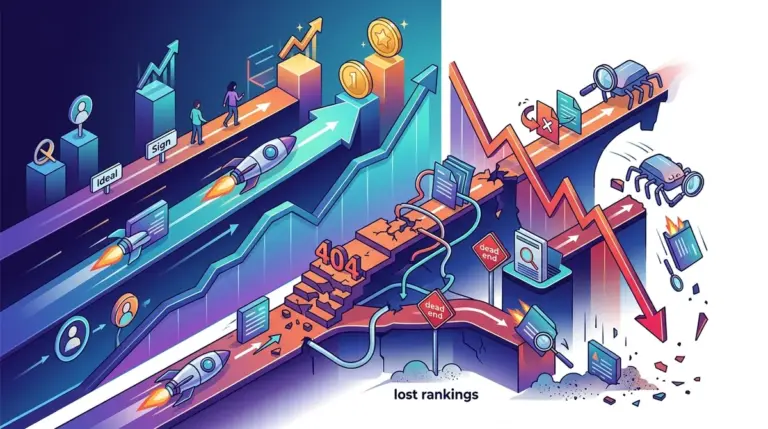
Indexation is the primary bottleneck for organic growth. If a page is not in the index, your keyword research, content optimization, and link-building efforts are functionally irrelevant. For large-scale sites, a 15% gap between published pages and indexed pages can represent thousands of dollars in monthly recurring revenue left on the table. Diagnosing these gaps requires moving past basic "site:" searches and into technical log analysis and Search Console API data.
Differentiating Between Crawl Budget and Quality Thresholds
The most common mistake in indexation audits is treating all "not indexed" statuses as the same problem. Google Search Console (GSC) provides two specific buckets that dictate your entire strategy: Discovered - currently not indexed and Crawled - currently not indexed.
Discovered - currently not indexed: This is a crawl budget or site architecture issue. Google knows the URL exists—likely from a sitemap or an internal link—but hasn't bothered to fetch the content yet. This usually happens when the server response time is too slow or the site has a massive volume of low-value URLs (like filtered search results) that are exhausting the crawler's resources before it reaches your high-priority pages.
Crawled - currently not indexed: This is a quality or relevance issue. Google has fetched the page, rendered it, and decided it doesn't meet the threshold for the index. This often stems from duplicate content, thin text-to-code ratios, or a lack of unique value compared to other pages already in the index. Fixing this requires content consolidation or aggressive pruning, not technical server tweaks.
Verifying Rendering via the URL Inspection Tool
Modern SEO relies heavily on how Google handles JavaScript. If your site uses a framework like React or Vue, the "view source" code might be empty, while the rendered DOM contains all your SEO-critical elements. Indexation failures often occur because the Googlebot timeout is reached before your client-side scripts finish executing. Understanding the difference between crawlability versus indexability is key to debugging these JavaScript-related indexation failures.
To diagnose this, use the Live Test feature in the URL Inspection tool. Do not just look at the screenshot; look at the More Info tab and the Page Resources list. If critical CSS or JS files are blocked by robots.txt or failing to load, Google sees a broken or blank page, leading to an immediate "Crawled - currently not indexed" status.
Warning: Never rely on the "Request Indexing" button as a primary strategy. It is a manual override for occasional updates. If you are using it for more than 5% of your new content, your internal linking structure or XML sitemap priority logic is fundamentally broken.
Analyzing X-Robots-Tag and Header Conflicts
Sometimes the HTML says "index," but the HTTP header says "noindex." Standard SEO crawlers often miss this if they aren't configured to check the response headers. Use a tool like cURL or a dedicated header checker to inspect the X-Robots-Tag. This is frequently where developers accidentally hard-code a "noindex" during a staging-to-production migration.
- Check for
noindex, nofollowin the HTTP response headers. - Verify that the
Vary: User-Agentheader is correctly implemented for mobile-first indexing. - Ensure that 404 pages are returning a true 404 status code, not a 200 OK with a "Not Found" message, which wastes crawl budget.
Identifying Internal Link Isolation and Orphan Pages
If a page is more than three clicks away from the homepage, its crawl frequency drops significantly. If it has zero internal links (an orphan page), Google may discover it via a sitemap but will rarely index it because it lacks "link equity" or context within the site's hierarchy.
Best for: Large e-commerce or directory sites. Use a crawl tool to compare the list of URLs found in the sitemap against the URLs found during a site crawl. Any URL in the sitemap that wasn't found in the crawl is an orphan. These pages need to be integrated into the navigation or category pages to signal their importance to the indexer.
Auditing Log Files for Real-Time Bot Behavior
Search Console data is delayed by 24 to 48 hours. When you are troubleshooting a critical drop in indexed pages, you need real-time data from your server logs. Log file analysis reveals exactly which URLs Googlebot is hitting and, more importantly, which ones it is ignoring.
Look for high volumes of 304 (Not Modified) status codes. While 304s save bandwidth, a high ratio of 304s on pages you are trying to get indexed suggests Google doesn't think the content has changed enough to warrant a re-index. Conversely, a spike in 429 (Too Many Requests) codes indicates your server is throttling Googlebot, which will cause it to back off and reduce your overall indexation footprint.
Executing the Indexation Recovery Plan
Once the diagnostic phase is complete, prioritize fixes based on the "effort vs. impact" matrix. Start by cleaning the XML sitemap to include only 200 OK, canonical URLs. Remove any redirects or 404s from the sitemap immediately, as these send conflicting signals to Google. Next, address the "Crawled - currently not indexed" bucket by merging thin pages into comprehensive guides. Finally, optimize your internal linking by adding "Related Posts" or "Featured Products" modules to high-traffic pages to funnel bot activity toward unindexed content. Monitor the Indexing Coverage report weekly to ensure the trend line is moving toward a 95% or higher indexation rate for your submitted URLs.
Indexation Troubleshooting FAQ
How long does it take for Google to index a new page?
For established sites with high authority, it can take minutes to hours. For new or low-authority sites, it can take one to two weeks. If a page isn't indexed after 14 days and it is linked internally, there is likely a technical blocker or a quality issue.
Does a sitemap guarantee indexation?
No. A sitemap is a discovery tool, not an indexation directive. It tells Google "these pages exist," but Google still applies its own quality and crawl budget filters before deciding to add those pages to the search results.
Why did my page drop out of the index suddenly?
This usually happens due to a "canonical mismatch" where Google chooses a different version of the page as the primary, or because the page was flagged as duplicate content during a fresh crawl. Check the URL Inspection tool to see the "Google-selected canonical."