

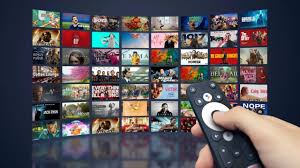
A TV on the wall used to be something people watched. Now, in many businesses, it is something people use.
Restaurants use screens for menus. Gyms use them for class schedules. Offices use them for internal announcements. Retail stores use them to promote products and offers. Hotels use them to guide guests, advertise services, and keep public areas looking active.
The challenge is not putting a screen on the wall. That part is easy. The harder part is keeping the content fresh without wasting time every time something needs to change.
Plenty of businesses still rely on USB sticks, local files, or someone at each location manually changing what appears on the TV. That might be fine for one screen in one room, but it quickly becomes frustrating when you have several displays, different branches, or content that changes often.
A TV content management system solves that problem. It gives you one place to upload, schedule, and control what appears across your screens. Instead of treating every TV like a separate project, you manage your screen network from one dashboard.
That is also why tools like Buzzblender are becoming popular with businesses that want digital signage without the usual cost or complexity. Buzzblender starts at just $5 per screen per month, which makes it far cheaper than many digital signage competitors and much easier to justify for smaller teams, growing companies, and multi-location businesses.
What Is a TV Content Management System?
A TV content management system is software that lets you control the content shown on TV screens. In most cases, it works through a cloud dashboard, so you can manage your screens from a browser instead of standing next to the display.
You upload content such as videos, images, menus, promotions, announcements, dashboards, QR codes, or branded messages. Then you decide where that content should appear and when it should go live.
For example, a café can show a breakfast menu in the morning and switch to lunch automatically at midday. A hotel can promote spa appointments in the lobby and restaurant offers near the dining area. A retail store can run weekend promotions without asking every branch manager to update screens manually.
The point is simple: your TVs stop being static displays and become controlled communication channels.
Why Manual TV Updates Cause Problems
Manual screen updates always seem manageable at first.
Someone creates the content, saves it to a USB stick, plugs it into the TV, checks that it displays correctly, and walks away. The job is done.
Until the price changes. Or the offer expires. Or the file is wrong. Or a new branch opens. Or head office wants every location to show the same campaign at the same time.
That is when manual updates become a problem. Screens end up showing old promotions, outdated menus, inconsistent branding, or content that should have been removed days ago.
This is not just inconvenient. It can affect the customer experience. If a restaurant screen shows the wrong price, staff have to explain it. If a gym timetable is outdated, members get annoyed. If a store keeps showing an expired deal, customers lose trust.
A TV content management system removes much of that friction. Content can be scheduled in advance, updated remotely, and sent to the right screens without anyone needing to touch the TV.
What a Good System Should Let You Do
A good TV content management system should make screen management feel simple, not technical.
At the very least, you should be able to upload content, organize it into playlists, choose which screens receive it, and schedule when it appears. That covers most everyday signage needs.
Remote management is especially important. If you have screens in different rooms, buildings, cities, or countries, you do not want every small update to depend on someone being physically present.
Scheduling is another essential feature. A screen in a restaurant, shop, clinic, or office may need to show different messages at different times of day. Being able to plan this in advance saves time and prevents content from going stale.
Compatibility also matters. Many companies already own TVs or commercial displays. The best setup is usually the one that works with your existing screens instead of forcing you to buy new hardware before you even start.
And then there is pricing. Digital signage costs can increase quickly when you pay per screen. A tool that seems affordable for three screens may become expensive at thirty. That is why the monthly cost per display should be part of the decision from the beginning.
Using TVs as Digital Signage Screens
Digital signage used to sound like something only large companies could afford. It often involved dedicated media players, complicated installation, and expensive software contracts.
That has changed.
Today, many businesses can turn regular smart TVs or commercial displays into signage screens using cloud-based software. Once the screen is connected, content can be managed online and pushed to the display without any manual file swapping.
This is where Buzzblender’s dynamic digital signage software fits well. It gives businesses a way to manage screen content remotely, schedule campaigns, and keep their displays updated without turning the whole process into an IT project.
For most companies, that is the real value. It is not just about putting nicer visuals on a screen. It is about being able to change messages quickly, keep promotions current, and make better use of displays that are already in the building.
Why Screen Compatibility Matters
Before choosing a TV content management system, it is worth looking at the screens you already have.
Some businesses use LG displays. Others use Samsung. Some use Android-based screens, while others have a mix across different locations. If your signage software only works properly with one hardware setup, it can create unnecessary limits later.
A flexible system should help you use the screens you already own where possible. That reduces upfront cost and makes it easier to expand gradually.
For companies using LG displays, a native LG WebOS signage player can make the setup cleaner because compatible LG screens can run signage content without needing a separate external player.
For teams using Samsung displays, a Samsung Tizen signage player offers the same kind of benefit. Content can be managed from the cloud and shown on compatible Samsung screens without adding unnecessary hardware or complexity.
That matters more as a screen network grows. The fewer moving parts there are, the easier it is to manage everything.
Common Use Cases for TV Content Management
The best thing about TV content management is that it is not limited to one industry.
In restaurants, screens can show digital menus, daily specials, allergen notes, QR codes, loyalty offers, or limited-time promotions. Instead of reprinting menus or updating every screen by hand, content can be scheduled around service times.
In retail, screens can support product launches, seasonal sales, loyalty programs, in-store advertising, and brand storytelling. A campaign can go live across every location at once and be removed as soon as it ends.
Hotels can use screens in lobbies, lifts, corridors, restaurants, and event spaces. They can promote breakfast times, spa treatments, local attractions, meeting room information, or guest services.
Offices can use screens for internal news, performance dashboards, visitor welcome messages, safety reminders, or company updates. In larger workplaces, this is often more visible than sending yet another internal email.
The same idea works for clinics, schools, gyms, real estate offices, car dealerships, manufacturing sites, and public spaces. Anywhere people need timely information, a managed screen can be useful.
Why Buzzblender’s $5 Pricing Stands Out
Pricing is one of the biggest differences between digital signage platforms.
Some tools look fine when you only have one or two screens, but the cost becomes harder to ignore as the network grows. If you pay $15, $20, or more per screen every month, adding new displays becomes a bigger decision.
Buzzblender keeps the model simple by starting at just $5 per screen per month. That is a major advantage for businesses that want proper screen management without taking on an expensive software subscription.
For a small business, it lowers the barrier to entry. For a chain or multi-location company, it can create serious savings over time.
The company also provides a pricing calculator at calculator.buzzblender.com, which helps compare the cost of Buzzblender against other signage tools. That is useful because the real cost of digital signage is not just what you pay today. It is what you pay as you add more screens over months and years.
A lower per-screen price gives businesses more room to grow without feeling punished for expanding their display network.
Simple Software Often Wins
There is a temptation to choose the most feature-heavy software available. In reality, that is not always the best choice.
Most teams do not need a complicated enterprise system just to show menus, promotions, announcements, schedules, or internal updates. They need something reliable, affordable, and easy enough for non-technical people to use.
If the platform is confusing, updates get delayed. If setup is slow, screens sit unused. If every small change needs IT support, the system becomes another bottleneck.
A good TV content management system should remove work, not create more of it.
That is why simplicity matters. Upload content. Choose the screen. Set the schedule. Publish. For many businesses, that is exactly what they need.
When to Look for MagicInfo Alternatives
Samsung MagicInfo is a familiar name in digital signage, especially for companies already using Samsung commercial displays. But it is not always the best fit for every business.
Some teams want something easier to set up. Others want lower monthly costs. Some need a system that works across different screen types instead of being tied too closely to one ecosystem.
That is why many companies compare Magicinfo alternatives before choosing a platform. The right alternative can make content management easier, reduce ongoing costs, and give the business more flexibility as its screen network grows.
This is especially true for companies with mixed hardware. If one location uses Samsung screens and another uses LG displays, a more flexible content management system can make daily operations much smoother.
Final Thoughts
A TV content management system is not just a nice extra for modern businesses. It is becoming a practical way to manage communication across physical spaces.
Instead of updating screens manually, teams can control content from one place. Instead of leaving old promotions running, they can schedule campaigns properly. Instead of treating every location differently, they can keep messaging consistent across the whole business.
Buzzblender is a good example of where this market is heading: simpler setup, remote control, useful device support, and pricing that starts at just $5 per screen per month.
For any business using TVs to communicate with customers, guests, staff, or visitors, that kind of system can make screens easier to manage and far more valuable over time.