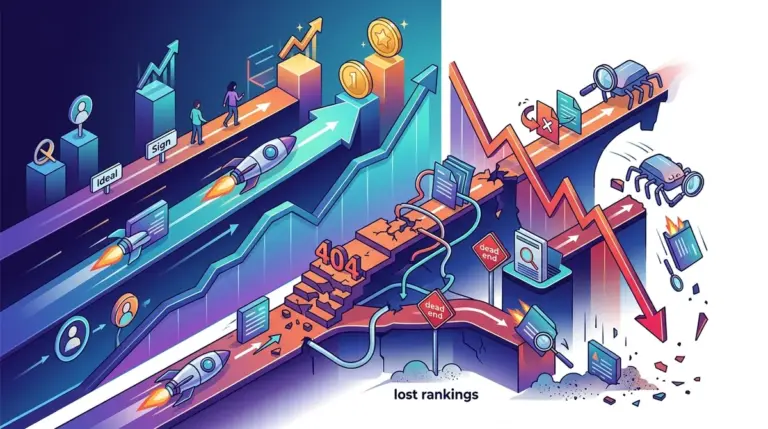
SEO success relies on a simple hierarchy: Google must find the page, read the page, and then decide the page is worth showing to users. When a site fails to rank, marketers often default to blaming content quality or backlinks, but the breakdown usually happens much earlier in the pipeline. Understanding the distinction between crawlability and indexability is the difference between fixing a broken engine and trying to drive a car without wheels. This is why understanding how canonical tags explained can prevent such issues is so vital for site health.
Crawlability refers to the search engine's technical ability to access your content. Indexability refers to the search engine's willingness to add that content to its database after it has been crawled. You can have a perfectly crawlable site that is entirely unindexed, just as you can have a site with high indexability potential that remains invisible because the bots are blocked at the gate.
The Technical Mechanics of Crawlability
Crawlability is about the infrastructure. It is the path a search engine spider, like Googlebot, takes through your site. If the path is blocked by a poorly configured robots.txt file or a loop of broken redirects, the bot leaves. This is a binary issue: either the bot can get in, or it cannot.
Several factors dictate your site’s crawlability:
- Site Structure: A shallow architecture ensures that any page is reachable within three clicks from the homepage. Deeply nested pages often fall out of the crawl cycle.
- Internal Linking: Bots follow links. If a page has no internal links pointing to it (an orphan page), it is effectively invisible to a standard crawl.
- Server Performance: If your server responds with 5xx errors or takes too long to load, Googlebot will throttle its crawl rate to avoid crashing your site, leaving many pages undiscovered.
- Redirect Chains: While a single 301 redirect is fine, a chain of four or five redirects often causes bots to give up, wasting crawl budget and stopping the discovery process.
Best for: Large e-commerce sites or publishers with 10,000+ pages where crawl budget is a finite and valuable resource.
Indexability and the Quality Filter
Once a bot crawls a page, indexability determines if that page earns a spot in the search results. Indexability is not just about technical "green lights"; it is about directives and content viability. A page can be fully crawlable but intentionally—or accidentally—excluded from the index.
The primary levers of indexability include:
Meta Directives
The noindex tag is the most direct way to kill indexability. It tells the bot, "You saw this, but do not show it to anyone." This is useful for thank-you pages or internal search results, but catastrophic when applied to high-value landing pages via a sitewide CMS error.
Canonicalization
When you have multiple versions of a page (e.g., different colors of the same product), the rel="canonical" tag tells Google which version is the "master" copy. If misconfigured, you may inadvertently tell Google to index a placeholder page instead of your primary sales page.
Content Quality and Uniqueness
Google does not index everything it crawls. If a page contains "thin" content—meaning it offers no unique value or is a near-duplicate of another page—Google may crawl it and then simply discard it. This is a common issue with programmatically generated SEO pages that lack sufficient differentiation.
Warning: Blocking a page in robots.txt does not remove it from the index if it was already there. It only prevents Google from crawling it again. To remove an indexed page, you must allow it to be crawled while serving a noindex tag or a 410 Gone status code.
The Crawl Budget Conflict
For small sites, crawl budget is rarely an issue. For enterprise-level domains, it is everything. Google assigns a "budget" to your site based on its authority and update frequency. If your crawlability is poor—meaning the bot spends its entire budget getting stuck in "infinite filters" on a category page—it will never reach your new blog posts or product updates.
To optimize this, you must align crawlability with indexability. You want the bot to spend 100% of its time on pages that you actually want indexed. If your log files show Googlebot spending 40% of its time on 404 pages or redirected URLs, you are bleeding potential revenue through technical inefficiency. This is precisely why learning how redirect mistakes hurt SEO is paramount for efficiency.
Diagnosing the Breakdown
Identifying whether you have a crawlability or indexability problem requires specific tools. Start with the Google Search Console (GSC) Coverage report. This is the definitive source of truth for how the world’s largest search engine views your site.
"Discovered - currently not indexed" usually points to a crawlability or budget issue. Google knows the page exists but hasn't bothered to visit it yet. This often stems from poor internal linking or a low-authority site trying to host too many pages.
"Crawled - currently not indexed" is an indexability and quality red flag. Google visited the page, looked at the content, and decided it wasn't worth the disk space in their index. This requires a content audit or a check for duplicate content issues.
Actionable Audit Checklist
To ensure your site is performing at peak efficiency, execute these technical checks quarterly:
- Check for Orphan Pages: Use a crawler to identify pages that have zero incoming internal links. These are crawlability dead ends.
- Audit Robots.txt: Ensure you aren't accidentally blocking CSS or JavaScript files. Modern bots need these to render the page and understand the layout.
- Review Mobile-Friendliness: Google uses mobile-first indexing. If your mobile site is difficult to crawl or hides content present on the desktop version, your indexability will suffer.
- Monitor Core Web Vitals: While often seen as a ranking factor, speed is primarily a crawlability factor. Faster sites allow bots to process more pages in less time.
- Fix Status Code Errors: Eliminate 404s in your navigation and break up redirect chains. Aim for a clean 200 OK response for every high-priority URL.
Optimizing the Search Pipeline
The distinction between these two concepts is the foundation of technical SEO. Crawlability is the "how" and indexability is the "why." If you treat them as a single entity, you will struggle to diagnose why specific sections of your site are underperforming. By isolating the two, you can apply surgical fixes: improving site architecture to help bots move faster (crawlability) and refining meta tags and content depth to ensure those bots stay and value what they find (indexability).
Stop guessing why pages aren't ranking. Check the logs to see if the bots are arriving, and check the directives to see if you’re letting them stay. A site that is easy to navigate for a bot is almost always a site that is easy to rank for a human.
Frequently Asked Questions
Can a page be indexed but not crawlable?
Yes. If a page has many external backlinks, Google may index the URL based on that outside information even if the page is blocked in robots.txt. However, Google won't be able to "see" the content on the page, so it will likely rank poorly.
Does a sitemap improve crawlability or indexability?
A sitemap primarily aids crawlability. It acts as a map for the bot to find all your URLs. It does not guarantee indexability; Google will still evaluate the content quality of every URL in the sitemap before deciding to index it.
How do I stop Google from crawling a specific section of my site?
Use the robots.txt file to "Disallow" specific directories. This is the most effective way to preserve crawl budget by keeping bots away from low-value areas like admin folders or staging environments.
Will fixing crawl errors immediately improve my rankings?
It won't necessarily boost a page from position 10 to position 1, but it ensures that your newest and best content is found and updated in the search results faster, which is critical for maintaining competitive relevance.